How to Deactivate/Activate my job post?
Sign-in your profile using registered mobile number

Beside every job post you will find an Activate/Deactivate button

Click on the Deactivate button of your job post to deactivate it. On clicking this button, a pop up will appear for your confirmation. Click on the red Deactivate button.
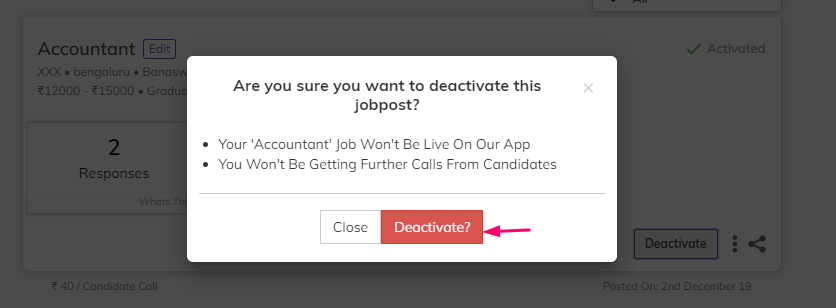
Your Job post will be deactivated this way
By Deactivating a Job post, you can save the remaining balance for future hire.
Likewise, you can also Activate your deactivated Job post to hire new candidates for the same role
Was this article helpful?