Hide my Job Post
Sign-in your profile using registered mobile number

Beside every job post you will find an Activate/Deactivate button.
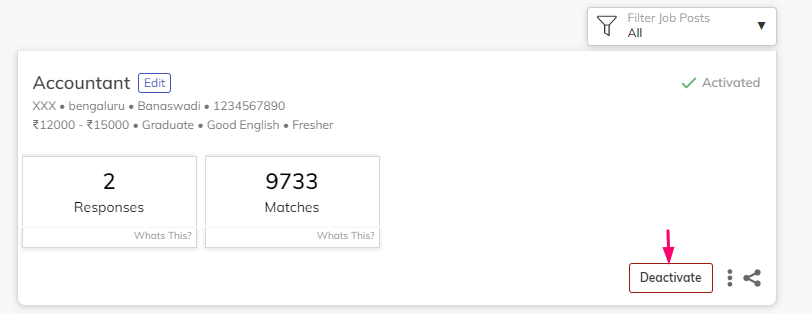
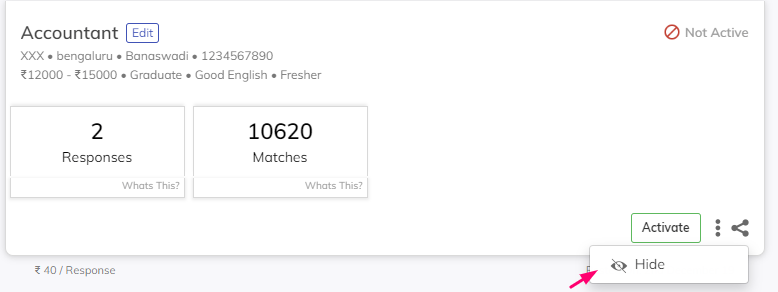
Near the Deactivate button there is a three dotted icon. On clicking this Icon, ‘Hide’ button will appear. Click on the ‘Hide’ button. Your Job post will become hide on our platform
Was this article helpful?